Hotel Digital Signage: A Guide to Lobby, Event and Wayfinding Screens
Why do hotels need digital signage?
Hotel digital signage is a network of screens in the lobby, outside function rooms and along corridors that shows welcome messages, event schedules, offers and directions. Content is managed in one place, so one update reaches every floor.
Events and banquets change every day. Instead of printing posters and handwriting signs, staff can update screens from a computer, and guests always see the right information.
Where should a hotel place screens?
| Location | What to show | How to do it |
|---|---|---|
| Lobby and front desk | Welcome messages, room types and offers, exchange rates, weather | Large displays or a video wall with SMP players |
| Lobby event overview | All of today's events, times and rooms | meetingPost+ Room Set view |
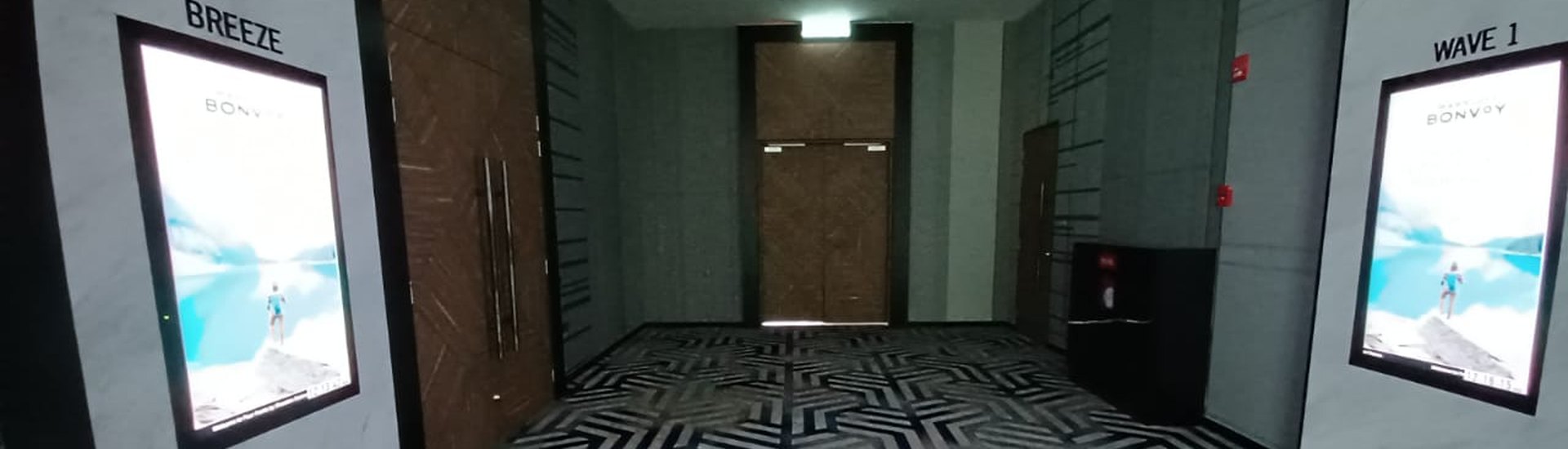
| Outside function and meeting rooms | Event name, time and status | meetingPost+ portrait templates |
| Lifts and corridors | Directions to restaurants, the spa and ballrooms | Direction screens and floor maps |
| Restaurants and bars | Menus, opening hours, daily specials | Content that switches automatically by time of day |
How do you show events outside function rooms?
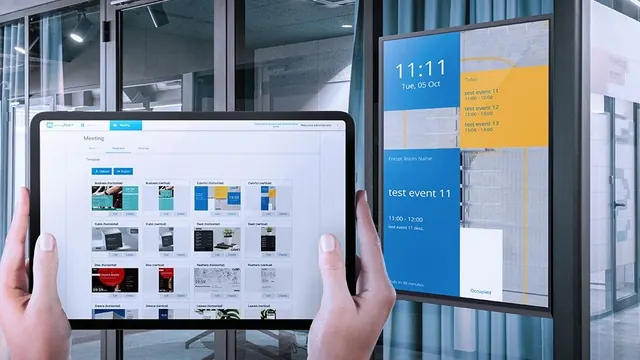
The most common problem outside a ballroom: an event changes time or room, but the poster at the door is not updated in time. meetingPost+ treats each function room as a meeting room, and the screen at the door reads the calendar directly:
- Calendar sync: The events team can enter bookings in the built-in calendar, or use Microsoft 365, Google Workspace or Google Calendar. When the schedule changes, the door screen updates too.
- Event countdown: Shows event runtime and status in real time.
- Room Set view: One lobby screen lists the current and upcoming event in each room, so guests know where to go at a glance.
- Templates: Portrait and landscape templates let you change the logo, background, text size and color to match the hotel brand.
- Remote management: A web-based interface lets staff update screens from any computer.
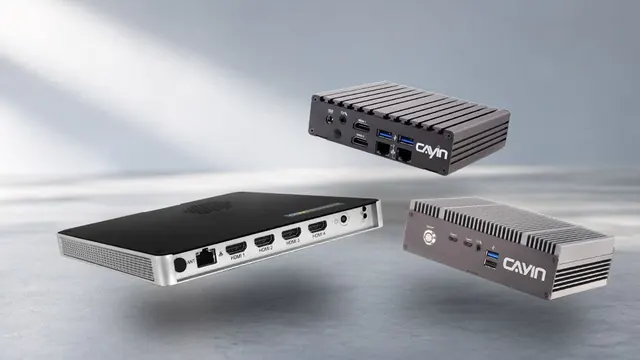
meetingPost+ works with SMP players (optionally with CMS-SE), CMS-WS or GO CAYIN. The first two require a meetingPost+ license. It can also manage the hotel's own meeting rooms too. For more, see How to choose a meeting room booking display.
How do you plan wayfinding?
- Place screens at decision points: Lobby entrances, lifts, escalators and corridor corners are where guests most need directions.
- Keep each screen simple: Show only a few destinations, with arrows, floors and distances that guests can read while walking.
- Link to events: During a large conference, add the day's event rooms and directions. After the event, the schedule switches back to everyday content.
- Multiple languages: Hotels with many international guests can rotate screens in different languages in the same playlist.
What hardware do you need?
- Main lobby screens: Choose commercial displays built for long operating hours. For a video wall, see SMP-8100, which supports multi-screen output.
- Outside function rooms: Portrait displays or freestanding totems next to the room name are most common, so guests see them as they arrive.
- Players: SMP players suit locations that need stable, all-day playback. Hotels that already have smart TVs or Android devices can install CAYIN Signage Player.
- Network and power: Plan the network, power outlets and cabling for each location before installation.
Which management platform should you choose?
| SMP players, optionally with CMS-SE | CMS-WS | GO CAYIN | |
|---|---|---|---|
| Playback devices | SMP players | Smart TVs and Android devices with CAYIN Signage Player | Devices with CAYIN Signage Player |
| Where the system runs | The hotel's own server | The hotel's own server | CAYIN's cloud |
| If the network drops | SMP players keep playing stored content | CAYIN Signage Player keeps playing the last downloaded or offline content | CAYIN Signage Player does not keep playing content |
| meetingPost+ | License required | License required | Subscription, free Basic plan |
| Best for | Large hotels, main lobby screens, video walls | Hotels that want to reuse existing TVs and keep data on their own server | Small properties with few screens that want to start fast |
For a deeper comparison, read On-premise vs cloud digital signage software, or see CMS-SE, CMS-WS and GO CAYIN.
How are other hotels using it?
- The Westin Desaru Coast Resort (Malaysia): CMS-WS manages 14 displays across the front office, lobby, dining areas, meeting rooms and the convention center ballrooms. Event schedules, seasonal promotions, spa and dining offers update instantly, and staff no longer replace printed materials by hand.
- Four Points by Sheraton Desaru (Malaysia): This 311-room hotel uses 10 SMP players with CMS-SE. Lobby screens show welcome messages, offers and brand videos, and screens at function venue entrances show event information on a calendar-based schedule.
- Novotel Cairo 6th of October (Egypt): Screens in the lobby and outside four meeting rooms show conference information to attendees in real time.
What does it cost?
- Hardware: Displays, players, mounts, installation and cabling are usually the largest part of the budget.
- meetingPost+: SMP players (optionally with CMS-SE) and CMS-WS both require a meetingPost+ license. A 90-day free trial is available for 1 meeting room. For a quote, contact us.
- GO CAYIN: The meetingPost+ Basic plan is free for 2 screens and 2 meeting rooms. Paid plans start at USD 20 per month. See GO CAYIN pricing.
How do you roll it out?
- Map your locations: List how many screens you need in the lobby, outside each room, at lifts and in restaurants.
- Assign content owners: Decide who manages event schedules and who manages offers and brand content.
- Choose a platform: SMP players (optionally with CMS-SE), CMS-WS or GO CAYIN.
- Run a pilot: Start with the lobby and one function room, and test schedule sync and readability.
- Set templates and schedules: Apply the hotel logo, colors and languages, and schedule content by time of day.
- Roll out in phases: Add the remaining locations and train staff to update content.
Frequently asked questions
Where do hotels usually put digital signage?
The most common locations are the lobby and front desk, outside function and meeting rooms, at lifts and corridor corners, and in restaurants and bars.
How do you update event information outside function rooms?
Manage each function room as a meeting room in meetingPost+. Enter events in the built-in calendar or in Microsoft 365, Google Workspace or Google Calendar, and the screen at the door updates automatically.
Can a hotel use its existing TVs?
Yes. Smart TVs or Android devices with CAYIN Signage Player installed can be managed with CMS-WS or GO CAYIN. For main lobby screens and video walls that need stable, all-day playback, SMP players are recommended.
Do lobby screens stop playing if the network drops?
SMP players keep playing stored content. CAYIN Signage Player with CMS-WS keeps playing the last downloaded or offline content. CAYIN Signage Player with GO CAYIN does not keep playing content.
Can I try meetingPost+ for free?
Yes. On CMS platforms there is a 90-day free trial for 1 meeting room. On GO CAYIN, the meetingPost+ Basic plan is free for 2 screens and 2 meeting rooms.
CAYIN Technology in Brief
CAYIN Technology is a 22-year professional digital signage solution and software developer from Taiwan. By offering a complete portfolio of appliance-based digital signage solutions, CAYIN dedicates itself to being a reliable partner to clients worldwide and has successfully set up various applications globally. In order to best facilitate the deployment of its products, the company also provides tailored services to satisfy the ever-growing market demand for almost limitless applications.